Project Management
Module Introduction
This module is dedicated to ensuring workflow continuity and result reproducibility. It allows users to archive the complete state of a reconstruction session—including the loaded image, coordinate calibration, key point markings, and parameter settings—into a project file. This ensures that any analysis can be perfectly replicated or resumed at a later time.
The module consists of two core features:
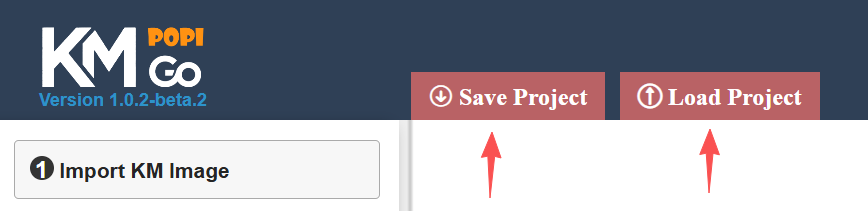
- Save Project: Serializes the current workspace into a downloadable file, preserving all user inputs and marking details.
- Load Project: Restores a previously saved session, allowing users to verify historical results or continue working on an unfinished reconstruction.
Module Usage
1. Saving a Session: Upon completing the reconstruction of a KM curve, click the "Save Project" button. The system will export all essential data required for IPD reconstruction into a standardized JSON file.
2. Data Utility: This file serves two primary purposes:
- Collaborative Reproduction: If the goal is simply to allow peers or reviewers to replicate your results using KM-PoPiGo, there is no need to parse the file content. Simply sharing this JSON file allows the recipient to restore the exact workspace state.
- Advanced Interoperability: For users intending to process the coordinate data using external tools or custom algorithms, it is necessary to understand the internal data schema. The file structure consists of the following key components:
| Field | Name | Description |
|---|---|---|
| key_point_coordinates | Key Point Coordinates | A 2D array recording the (x, y) pixel coordinates of all marked Key Points. |
| censoring_time_coordinates | Censoring Time Coordinates | A 2D array recording the (x, y) pixel coordinates of all marked Censoring Times. |
| coordinate_origin | KM Coordinate Origin | The pixel coordinates of the KM curve's coordinate origin, obtained via the "Calibrate Origin" operation. |
| axis_limit_coordinates | Axis Limit Coordinates | The (x, y) pixel coordinates representing the point (time_axis_max_scale, 1.0) in the KM coordinate system, used to establish the mapping between the image pixels and the survival analysis scales. |
| time_axis_max_scale | Maximum Time Axis Value | The numerical value corresponding to the maximum scale of the KM curve's Time axis (entered by the user during calibration). |
| group_name | Group Name | The user-defined identifier for the current group. |
| at_risk_time_interval | At-risk Table Time Interval | A single numerical value representing the fixed time interval between columns in the At-risk table (e.g., 5). |
| at_risk_numbers | At-risk Numbers (R) | The number of patients at risk recorded corresponding to the time intervals defined by at_risk_time_interval. |
| sample_size | Sample Size (N) | The total number of patients in the group. |
| number_of_events | Number of Events (E) | The total number of events observed during the study. |
| canvas_width | Canvas Width | The width of the digitization canvas (in pixels). Required to accurately restore the Base64 image and ensure coordinate alignment. |
| canvas_height | Canvas Height | The height of the digitization canvas (in pixels). Required to accurately restore the Base64 image and ensure coordinate alignment. |
| canvas_image_base64 | Canvas Image (Base64) | The KM curve image string encoded in Base64 format. Required to reconstruct the visual context of the digitization workspace. |
During peer review or manuscript submission, ensuring the reproducibility of results is paramount. Users can share the exported project JSON file with reviewers to facilitate independent verification. By clicking the "Load Project" button in KM-PoPiGo and selecting the file, the system restores the complete workspace state, including the original KM image, Key Point markings, Censoring Times, and all associated Study Parameters. Consequently, the reviewer can audit the marking precision and parameter inputs before executing the "Run Reconstruction" function to validate the final IPD output.